Snap Search is a privacy-focused Android browser built for people who want more control over their digital footprint. Instead of relying on a basic incognito tab that can still leak your IP address or collect cookies, Snap Search combines encryption, a built-in VPN, and a strict zero-logging approach in one lightweight package. With no sign-up required and a sandboxed browsing model that resets after every session, it aims to make anonymous, secure browsing the default rather than an optional extra.
Features
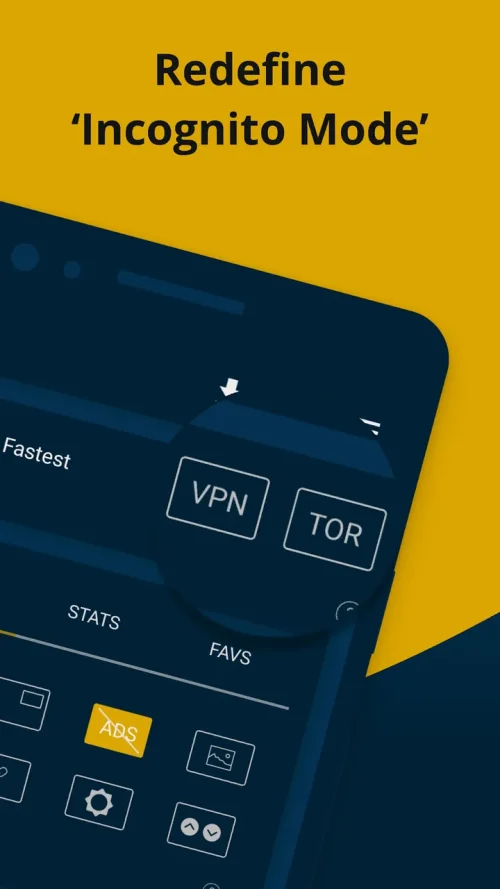
1. A built-in VPN mode masks your IP address and digital footprint, shielding your activity from your internet service provider and from websites that try to profile you based on location or network data.
2. A no-signup policy means you never create an account or hand over an email address, so the browser has no identity to attach to your sessions and nothing personal to store on its servers.
3. A real-time website translator handles text in more than 100 languages, letting you read foreign pages without switching apps or copying content into a separate translation tool.
4. Guest Mode locks a browsing session to a single page, which keeps tabs, history, and photos out of sight when you hand your phone to someone else for a moment.
5. Smart data saving compresses page assets and images through advanced algorithms, so you can browse longer on a limited mobile plan without burning through your monthly allowance.
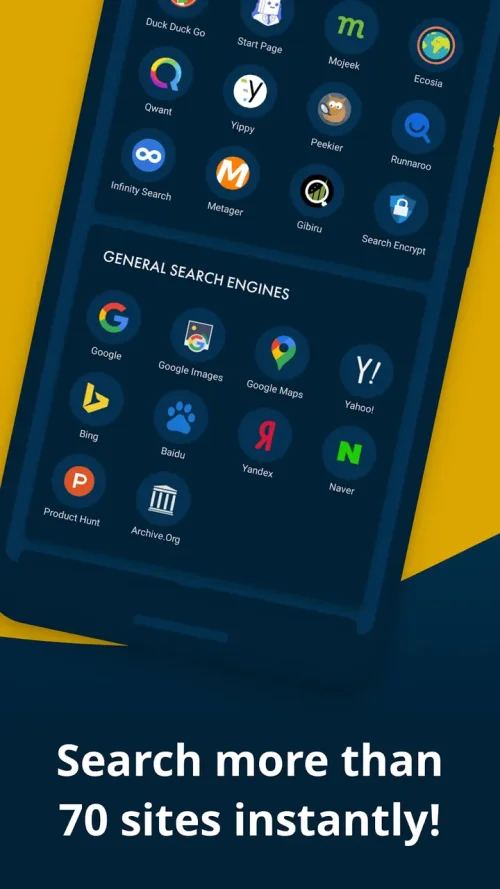
6. Support for more than 60 search engines, including Google, DuckDuckGo, StartPage, Bing, Ecosia, and Yandex, lets you pick the provider that matches your privacy preferences.
7. A zero-permission, sandboxed design resets everything when a session ends, which speeds up page loads, conserves battery life, and blocks data-hungry scripts from lingering on your device.
How to Use
1. Install Snap Search version 10.5 on your Android device and open the app; no account creation or email verification is required before you start browsing.
2. Choose your preferred search engine from the built-in list of more than 60 options, then type a query or a URL into the address bar to begin your session.
3. Toggle the VPN mode on before visiting sensitive sites so your IP address stays hidden and your traffic is encrypted from your network provider.
4. Tap the translator when you land on a page in another language and let it convert the text in real time without leaving the browser.
5. Enable Guest Mode when someone borrows your phone, which pins the session to one page and hides your other tabs until you unlock it.
6. Close the session when you are finished; the sandbox clears your browsing data automatically, so nothing carries over to the next time you open the app.
Tips
1. Turn on the VPN before your first page load rather than midway through a session, so your IP address is never exposed to the sites you visit.
2. Use Guest Mode whenever you pass your phone to a friend or colleague, since it restricts access to a single page and keeps the rest of your browsing private.
3. Keep data saving enabled on mobile networks to stretch your plan, and switch it off on Wi-Fi if you want full-resolution images on media-heavy pages.
4. Pick a search engine that matches your privacy stance, such as DuckDuckGo or StartPage, so your queries are not logged by the provider behind the results.
5. Rely on the automatic sandbox reset instead of manually clearing history, because ending the session wipes everything and saves you the extra step.
6. Use the translator on foreign-language news and documentation sites to read content that would otherwise be out of reach without a separate app.
Review
1. Snap Search earns its place among private browsers by combining a VPN, a zero-logging policy, and a sandboxed session model in a single lightweight app that loads pages quickly.
2. The no-signup approach is a genuine convenience, since you can install the app and start browsing immediately without creating credentials or verifying an email address.
3. The translator stands out as an unusual addition for a privacy browser, and real-time support for over 100 languages makes foreign sites genuinely usable.
4. Guest Mode and smart data saving address practical, everyday concerns, covering both the awkward moment of lending your phone and the cost of browsing on a metered connection.
5. Battery life holds up well thanks to the sandboxed design, and the wide choice of search engines means you are not locked into one provider's logging habits.
6. The premium unlocked build in version 10.5 removes restrictions on paid features, making the full privacy toolkit available without a subscription.
Similar Apps
1. DuckDuckGo Privacy Browser offers private search, tracker blocking, and a fire button that clears your tabs and data in one tap, appealing to users who want simplicity.
2. Brave Browser combines ad blocking, tracker protection, and an optional VPN, making it a strong alternative for people who want faster page loads with privacy defaults.
3. Firefox Focus strips browsing down to a single-session model with automatic history erasure, ideal for quick searches you do not want recorded.
4. Opera browser includes a free built-in VPN and data-saving modes, which suits users who want privacy features inside a full-featured mainstream browser.
5. Ghostery Privacy Browser focuses on tracker detection and control, giving detailed insight into which scripts follow you across the pages you visit.













Comments (0)
No comments yet. Be the first!