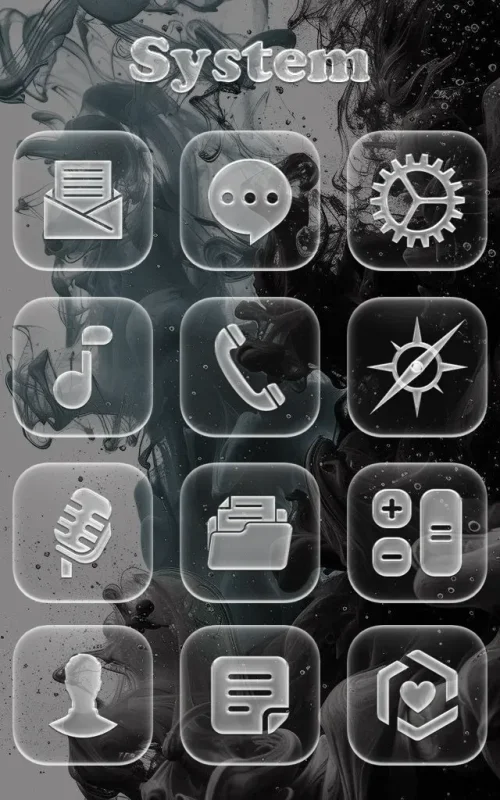
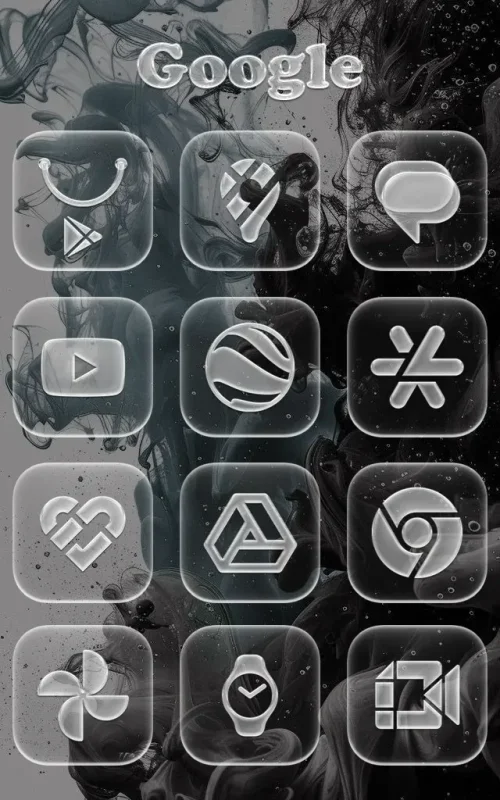
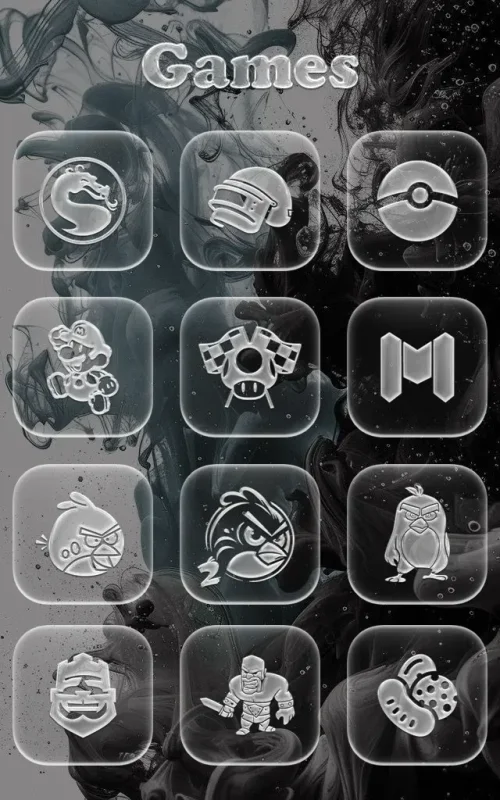
Coccco Glass Effect is a personalization pack that gives your Android home screen a polished, translucent look inspired by modern glassmorphism design. With more than 1,500 carefully drawn icons, subtle strokes, and layered shadows, it replaces flat visuals with a sleek, dimensional style that stands out against both dark and vivid wallpapers. Version 2.1 delivers the full icon collection in one package, making it simple to refresh your launcher without hunting for matching assets.
Features
1. The pack includes over 1,500 glass-style icons, each drawn with semi-transparent surfaces, fine outlines, and soft drop shadows that create a convincing frosted-glass appearance on any home screen.
2. A dynamic calendar icon automatically updates to show the current date, so your launcher stays accurate without you manually swapping icons or reinstalling the pack each month.
3. Every icon is rendered at high resolution, keeping edges crisp and transparency smooth whether you view them on a compact phone or a large tablet display.
4. The design language stays consistent across the entire collection, pairing subtle strokes with layered shadows so the whole grid feels unified rather than pieced together.
5. The developer commits to ongoing updates, adding newly requested icons over time so the pack keeps pace with the apps you actually install and use.
How to Use
1. Install a launcher that supports third-party icon packs, such as Nova Launcher, Apex Launcher, or Smart Launcher, since the default home screen on most devices cannot apply external packs directly.
2. Download and install Coccco Glass Effect v2.1, then open the app once so it registers with your launcher and appears in the list of available icon packs.
3. Open your launcher's settings, find the icon pack or theme section, and select Coccco Glass Effect; the new glass icons will replace your current set immediately.
4. Choose a dark or richly saturated gradient wallpaper to sit behind the icons, since deeper backgrounds make the transparency and shadow detail far more visible.
5. If an app is missing an icon, use the built-in request option inside the pack and the developer will consider adding it in a future release.
Tips
1. Pair the pack with a wallpaper that has strong contrast in the areas where icons sit, because busy mid-tone backgrounds can wash out the frosted effect and hide the shadow detail.
2. Enable your launcher's icon shape mask or adaptive icon setting only if it preserves transparency, since aggressive masking can clip the glass edges and flatten the design.
3. Group similar apps into folders with a matching glass folder style so the translucent look carries through the entire layout instead of stopping at individual icons.
4. Test the pack on both your home screen and app drawer, then adjust grid size to give each icon enough breathing room for the shadows to read clearly.
5. Submit icon requests for the apps you use daily rather than waiting, as the developer folds requested icons into upcoming updates and you will see them sooner.
Review
1. Coccco Glass Effect succeeds at what it promises: a cohesive, modern icon set that makes an ordinary Android home screen look deliberately designed rather than stock.
2. The transparency and shadow work is the standout quality, giving icons a subtle depth that reads well on OLED panels and does not feel gaudy or overdone.
3. The dynamic calendar icon is a small but genuinely useful touch that keeps the pack feeling maintained rather than static after the first week.
4. Coverage is strong at over 1,500 icons, though users with niche or regional apps may still need to request additions before every shortcut matches.
5. Overall, it is a solid choice for anyone who likes glassmorphism aesthetics and wants a consistent, high-resolution pack that works across phone and tablet.
Similar Apps
1. Whicons offers a clean white icon set with a minimalist approach, appealing to users who want simplicity rather than the layered transparency of glass styling.
2. Flight Light delivers a soft, airy icon pack with light gradients and rounded shapes, sharing the modern aesthetic while leaning brighter and less shadow-heavy.
3. Viral Icon Pack provides a large, frequently updated collection with a playful illustrated style, a good alternative if you prefer character over frosted glass.
4. Lux Green and similar color-focused packs give a single-hue treatment across the whole grid, useful if you want strong theming instead of neutral transparency.
5. Minimalist-style packs such as those built for Nova Launcher offer flat, line-based icons, a contrast to Coccco's dimensional shadows for users who prefer zero depth.










Comments (0)
No comments yet. Be the first!