Groundwire: VoIP SIP Softphone turns your Android phone into a professional-grade calling tool for voice and video over the internet. Built for people who rely on SIP accounts for work or everyday contact, it pairs clear audio with a clean interface and flexible configuration options. Version 25.3.90 keeps the focus on dependable connectivity, so conversations stay steady whether you are at a desk, on the road, or working remotely.
Features
1. Place and receive high-definition voice and video calls over VoIP using your own SIP account, with stable media handling that keeps conversations clear even on modest mobile connections.
2. Sync your device contacts and review a detailed call history that logs every outgoing and incoming call, making it simple to redial, follow up, or check missed activity at a glance.
3. Set up your SIP provider quickly thanks to built-in templates for hundreds of popular VoIP services, which fill in the technical details so you can start calling within minutes.
4. Choose the codec that suits your network, favoring bandwidth-friendly options on LTE or richer audio on Wi-Fi, and define call forwarding rules plus separate ringtones for different extensions.
5. Switch between audio and video modes with a single tap, and rely on background operation so incoming calls still reach you while you use other apps on the device.
How to Use
1. Install Groundwire: VoIP SIP Softphone from your preferred store, open the app, and grant the microphone, camera, and contact permissions it needs to handle calls properly.
2. Add your SIP account by picking your provider from the template list or entering the username, password, and server address manually, then wait for the registration status to show connected.
3. Dial a number or pick a contact from the synced address book, then tap the call button and choose audio or video before the connection is established.
4. Adjust preferences such as preferred codec, ringtones per extension, and forwarding rules in the settings menu so the app behaves the way your workflow requires.
5. Review the call history regularly to redial recent numbers, confirm that forwarded calls arrived, and keep your account details current when your provider changes settings.
Tips
1. Test both Wi-Fi and mobile data with a short call to see which codec gives you the best balance of clarity and stability in your usual locations.
2. Keep the app exempt from aggressive battery optimization so background calls are not silenced when the screen is off or another app is in the foreground.
3. Use distinct ringtones for separate extensions if you manage multiple lines, which helps you identify whether an incoming call is business or personal.
4. Set forwarding rules before travel so calls reach a backup number when coverage is weak, and verify the rules with a test call from another phone.
5. Store your SIP credentials somewhere secure and update them in the app whenever your provider rotates passwords to avoid failed registrations.
Review
1. Groundwire: VoIP SIP Softphone feels like a serious communications tool rather than a casual chat app, and its template-driven setup removes most of the friction that usually comes with SIP configuration.
2. Call quality held up well in testing, with the codec options giving real control over how the app performs on crowded networks, and the tap-to-switch video mode is genuinely convenient.
3. The interface is straightforward for newcomers yet deep enough for people who manage multiple extensions, forwarding rules, and custom ringtones on a daily basis.
4. Background reliability is the standout strength, since calls still arrive while other apps are open, though users should expect to tune battery settings on stricter Android builds.
5. Overall, version 25.3.90 is a dependable choice for anyone who wants professional VoIP calling on a phone without carrying a second device.
Similar Apps
1. Linphone offers an open-source SIP client with video calling and encryption options, appealing to users who prefer transparent development and self-hosted infrastructure.
2. Zoiper combines SIP and IAX support in a single dialer, making it a practical alternative for people who connect to more than one type of PBX.
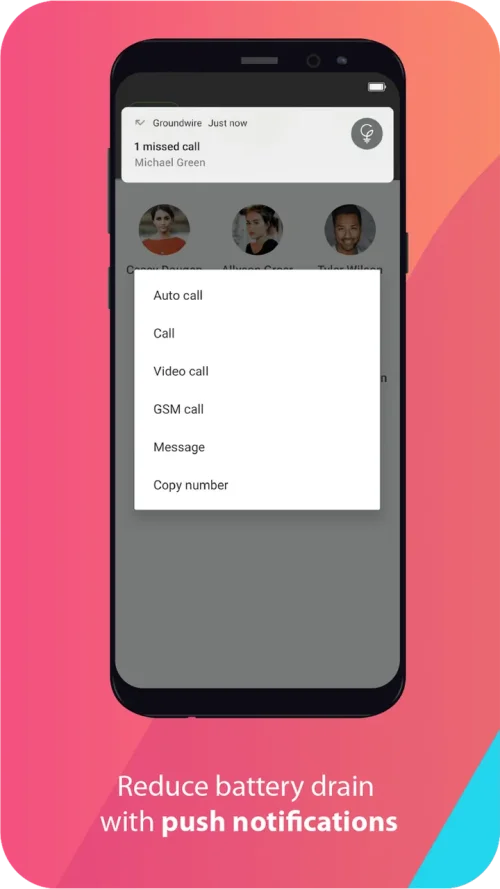
3. Acrobits Softphone focuses on polished call handling and push notifications, a solid pick for users who prioritize incoming call reliability on mobile networks.
4. CSipSimple remains a favorite among tinkerers for its extensive codec and account configuration, though its interface feels dated compared with newer options.
5. MizuDroid provides a simple SIP dialer with basic video support, suited to users who want a lightweight client for occasional VoIP calls.












Comments (0)
No comments yet. Be the first!