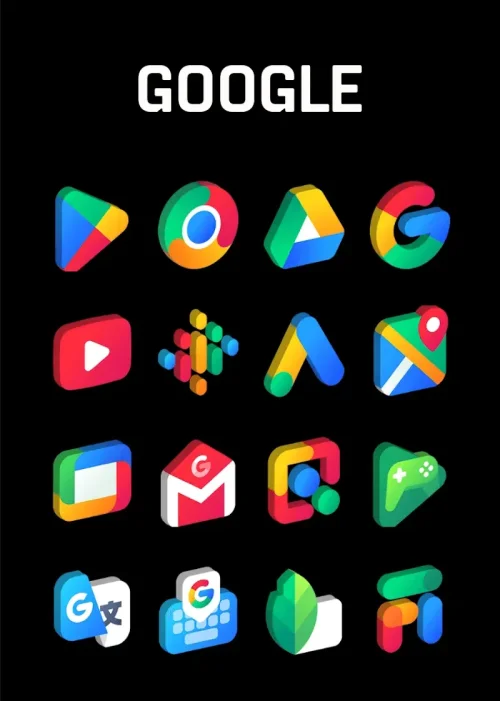
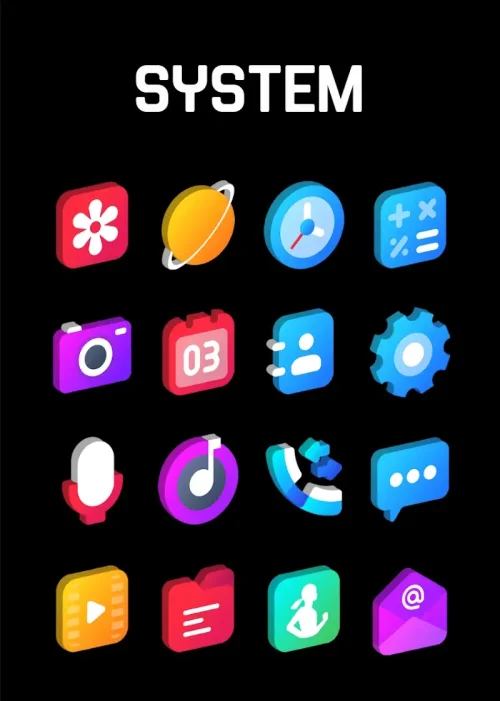
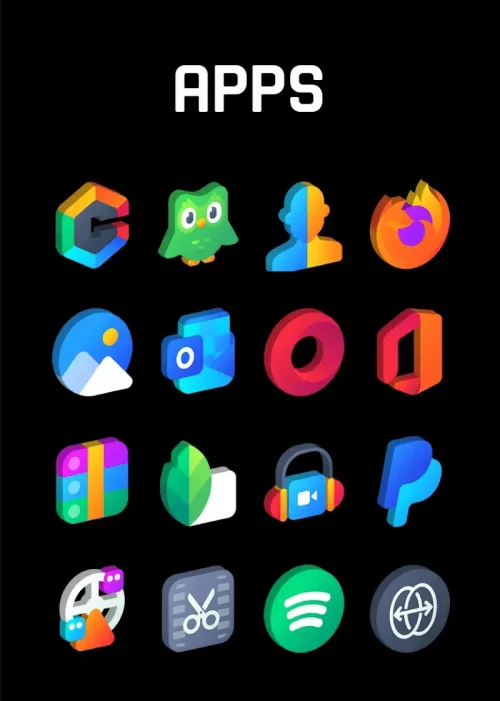
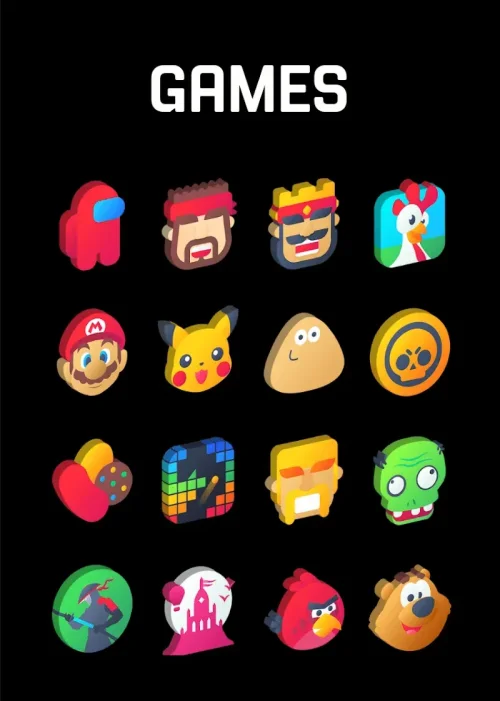
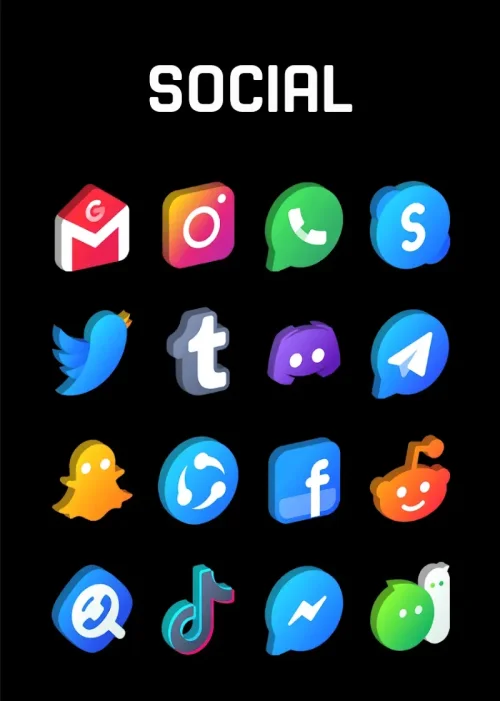
Gradient 3D - Icon Pack gives your Android home screen a fresh sense of depth, pairing smooth color gradients with softly modeled three-dimensional shapes that make every icon feel tangible. Instead of flat, forgettable tiles, you get a cohesive visual set with realistic shadows, subtle textures, and a polished finish that lifts the whole interface. Whether you are a longtime theming enthusiast or simply want a cleaner, more modern look, this pack offers a large icon library, matching wallpapers, and a straightforward dashboard that makes applying everything quick and painless.
Features
- 1. A library of more than 3,500 ultra-HD icons covers popular apps, system tools, and niche utilities, so most of your daily home screen is styled consistently from the first apply.
- 2. Every icon is built with layered gradients, soft shadows, and realistic textures that create a convincing depth-of-field effect, making each tile appear to float above the wallpaper.
- 3. Regular weekly updates add newly requested icons and refine existing artwork, keeping the pack aligned with the apps you actually install and use over time.
- 4. A curated collection of 4K cloud wallpapers is included, each chosen to complement the gradient and 3D aesthetic so your background and icons feel designed as one set.
- 5. Dynamic calendar support displays the real date on the calendar icon and works with popular calendar apps, adding a practical touch to the visual overhaul.
- 6. An advanced icon request tool lets you submit missing apps directly from the dashboard, making it fast and simple to ask for the icons you want next.
- 7. Broad launcher compatibility covers Nova, Apex, Action, Go, Smart, Solo, and many others, so you can keep your preferred launcher and still enjoy the full theme.
- 8. A premium dashboard powered by Blueprint offers intuitive browsing, icon search, and one-tap application, keeping setup simple even for first-time themers.
- 9. Dedicated folder and dock icons ensure a unified look across your entire interface, so grouped apps and pinned shortcuts match the rest of your home screen.
- 10. Vector-based graphics stay crisp on high-resolution QHD and 4K displays, and the pack is optimized for performance so your device remains fast and responsive.
How to Use
- 1. Install Gradient 3D - Icon Pack (version 74) from your preferred store, then open the app once installation finishes to reach the main dashboard.
- 2. Tap the apply button and let the dashboard detect your installed launcher, which then suggests the best settings for optimal visual results.
- 3. If automatic detection misses your launcher, open your launcher settings and manually select the icon pack from the appearance or theme section.
- 4. Browse the icon grid or use the search field to preview individual icons, then long-press any app on your home screen to swap in an alternative design.
- 5. Enable icon masking so unthemed apps inherit the same gradient container shape, keeping the overall look consistent across every shortcut.
- 6. Pick a matching 4K wallpaper from the built-in collection and set it as your background to complete the cohesive 3D gradient style.
Tips
- 1. Apply the icon pack before arranging your home screen, since some launchers reset icon positions when a new pack is activated.
- 2. Use icon masking together with manual overrides so rarely used apps still blend in while your favorites get hand-picked artwork.
- 3. Submit requests for missing apps early through the built-in tool, as weekly updates tend to prioritize the most requested icons.
- 4. Match wallpaper brightness to your icon set, choosing darker gradients for dark mode and lighter ones for daytime visibility.
- 5. Keep folder and dock icons consistent with the main grid by applying the pack to those areas as well, avoiding a mixed look.
- 6. Reapply the pack after major launcher updates if icons revert to default, which restores the full gradient styling in seconds.
Review
- 1. Gradient 3D - Icon Pack stands out in a crowded personalization market because the 3D gradient style feels deliberate rather than decorative, with shadows and textures that hold up on close inspection.
- 2. The icon count is generous, and the weekly update cadence means the set keeps growing instead of stagnating after release, which matters for long-term use.
- 3. The dashboard is genuinely user-friendly, and automatic launcher detection removes the guesswork that often frustrates newcomers to icon packs.
- 4. Performance is a strong point: vector graphics stay sharp on high-resolution screens, and the pack does not noticeably slow down scrolling or app launches.
- 5. Minor gaps remain for very obscure apps, but the request tool and masking feature soften that limitation and keep the home screen visually unified.
- 6. Overall, it is a polished, well-supported choice for anyone who wants a modern, dimensional look without sacrificing speed or consistency.
Similar Apps
- 1. Whicons offers a clean white icon set with a minimalist feel, appealing to users who prefer simplicity over the bold gradients and depth of Gradient 3D.
- 2. Delta Icon Pack delivers a soft, pastel-inspired aesthetic with subtle shapes, a good alternative for those who like gentle color but want less 3D modeling.
- 3. Viral Icon Pack focuses on playful, rounded designs with vibrant accents, sharing the colorful energy of Gradient 3D while taking a flatter approach.
- 4. Pixly Icon Pack emphasizes detailed, illustrated icons with rich shading, making it a strong pick for users who enjoy textured, dimensional artwork.
- 5. Flight Light Icon Pack provides a light, airy style with soft outlines, useful for anyone seeking a brighter home screen with a similar modern polish.
- 6. Borealis Icon Pack combines glowing gradients with a compact icon grid, offering a comparable gradient theme with a slightly different visual character.










Comments (0)
No comments yet. Be the first!