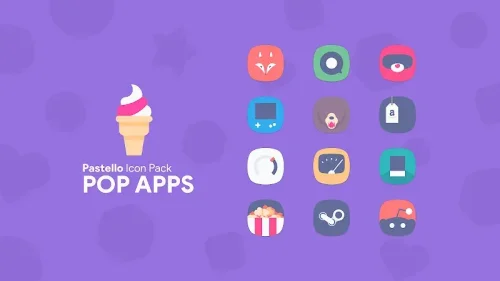
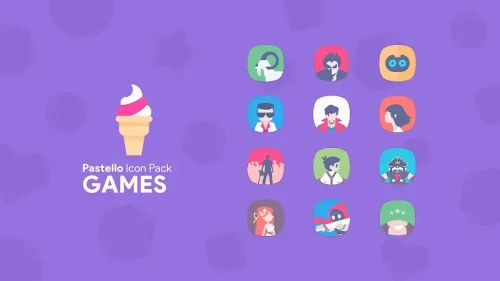
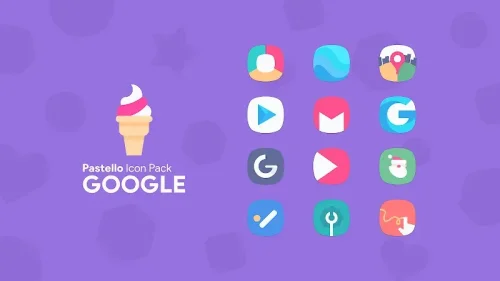
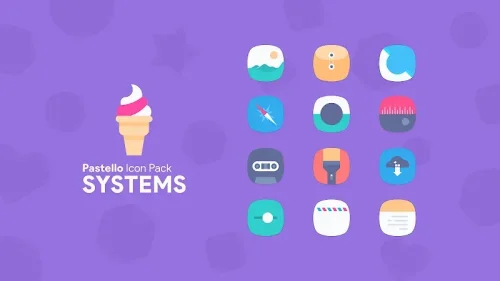
Pastello: Pastel Icon Pack gives your Android home screen a calmer, softer personality, replacing loud stock icons with a cohesive pastel set that feels gentle on the eyes. With a library of more than 8,800 minimalist icons, matching HD wallpapers, and vector-based artwork that stays sharp at any size, it offers a complete visual refresh rather than a few cosmetic tweaks. Whether you want a tidy, aesthetic layout or simply a break from harsh colors, Pastello makes personalization quick, consistent, and genuinely enjoyable.
Features
- 1. A library of over 8,800 minimalist pastel icons covers the majority of popular apps, so most of your home screen can be themed from a single, well-organized collection without hunting for individual replacements.
- 2. Every icon is built as pixel-perfect vector graphics rather than standard image files, which means shapes and edges stay crisp and clean no matter the screen size or icon scale you choose.
- 3. An exclusive wallpaper collection of more than 100 HD backgrounds is included free, each designed to match the pastel palette so your icons and wallpaper feel like one deliberate, harmonious design.
- 4. The color palette leans on soft pinks, blues, and greens, creating a calm and pleasing look that reduces visual noise and makes long sessions on your phone feel noticeably easier on the eyes.
- 5. Broad launcher compatibility means Pastello works smoothly with major Android launchers such as Nova, Action, Apex, Smart, and Go Launcher, so you can keep the setup you already know.
- 6. A built-in dashboard lets you browse and search the entire icon library, then apply any icon with a single tap, making customization fast even if you are new to icon packs.
- 7. An integrated icon request tool lets you flag apps that are not yet themed, and regular updates add new icons and wallpapers based on what users ask for most.
How to Use
- 1. Install Pastello: Pastel Icon Pack from the store, then open the app once so its dashboard and icon library are ready to use on your device.
- 2. Install a supported launcher such as Nova, Action, Apex, Smart, or Go Launcher if you do not already use one, since icon packs apply through the launcher rather than the system itself.
- 3. Open the Pastello dashboard, browse or search for an app icon, and tap it to apply the pastel version directly to your home screen or app drawer.
- 4. Apply the full pack at once from your launcher's icon pack settings, selecting Pastello so every supported app is themed consistently in one step.
- 5. Pick a wallpaper from the included HD collection and set it as your home or lock screen background to complete the pastel look across your device.
- 6. Use the icon request tool inside the app to submit any unthemed apps, then check back after updates to see whether your requests have been added.
Tips
- 1. Adjust icon shape and size in your launcher settings after applying Pastello, since the vector-based icons stay sharp and balanced at nearly any scale you pick.
- 2. Match your wallpaper to the pastel palette first, then theme icons second, so the overall screen feels intentional rather than pieced together from different styles.
- 3. Group similar apps into folders on a single home screen page to keep the minimalist aesthetic intact and reduce the number of visible icons.
- 4. Submit icon requests for the apps you use daily, because updates are shaped by user feedback and popular requests tend to arrive sooner.
- 5. Keep a backup of your launcher layout before applying a full icon pack, so you can restore your previous setup quickly if you want to experiment.
- 6. Use a dark or muted wallpaper variant for evening use, which pairs well with the soft pastel icons and keeps the screen comfortable in low light.
Review
- 1. Pastello: Pastel Icon Pack succeeds because it treats personalization as a complete system, pairing a large icon library with wallpapers and a palette that stays consistent across every screen.
- 2. The vector-based icons are the standout detail, staying crisp at any size and giving the interface a polished, premium feel that many icon packs struggle to match.
- 3. The dashboard is straightforward and quick, with search and one-tap application making it easy for beginners while still offering enough control for experienced tinkerers.
- 4. Launcher compatibility is genuinely broad, so most users can apply the pack without changing their existing setup or learning a new home screen workflow.
- 5. Regular updates and the icon request tool show that the pack is actively maintained, which matters for anyone who themes their device and expects long-term coverage.
- 6. The main limitation is familiar to all icon packs: some lesser-known apps may remain unthemed until requested, though the request system softens that gap over time.
Similar Apps
- 1. Whicons is a popular white minimalist icon pack that offers a clean monochrome alternative for users who prefer stark simplicity over soft pastel tones.
- 2. Delta Icon Pack delivers a similar minimalist aesthetic with a broader color range, making it a good option if you want variety beyond pastel shades.
- 3. Flight Light Icon Pack focuses on light, airy designs with soft gradients, appealing to users who like gentle colors but want slightly more visual depth.
- 4. Viral Icon Pack offers a playful, rounded style with bright accents, suited to anyone who finds Pastello too subdued and wants more energy on screen.
- 5. Lux Icon Pack provides a premium, refined look with careful detailing, a solid choice for users who want elegance without the pastel color scheme.
- 6. CandyCons is a colorful, shape-driven pack that pairs well with custom launchers, offering a fun alternative for those who enjoy expressive home screens.











Comments (0)
No comments yet. Be the first!