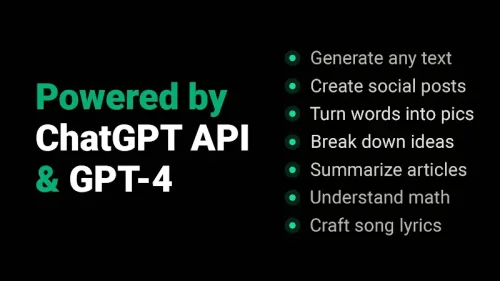
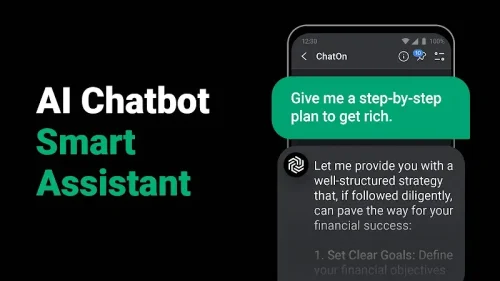
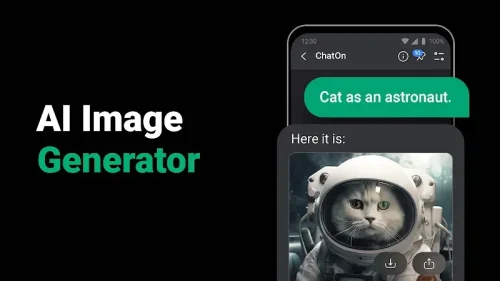
ChatOn v1.99.7-860 MOD APK (Premium Unlocked) puts a full AI assistant on your Android device, letting you summarize long PDFs, draft emails, transcribe voice notes, and pull answers from images without hitting the paywalls that normally guard these tools. This 66M build carries the package name ai.chat.gpt.bot and arrives with premium functions already active, so you can explore the entire toolkit from the first launch. Because the file is re-signed, it installs as a fresh app rather than an update over a store version.
Features
- 1. PDF Master accepts lengthy documents and photos of printed pages, then returns a condensed summary of the main ideas so you can skim research material in minutes instead of hours.
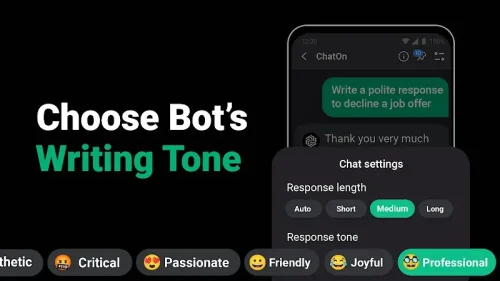
- 2. The Email/Post Writer turns a short prompt into a complete first draft, and the Tailor Made control lets you shift tone between formal business language and a relaxed social voice.
- 3. Voice input lets you dictate questions, capture reminders, and record ideas hands-free, with spoken words converted into text or structured notes you can save for later.
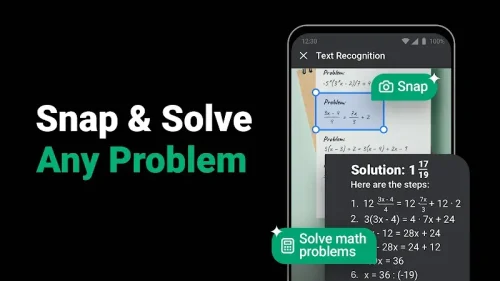
- 4. Picture to Notepad uses OCR to digitize handwritten notes, screenshots, and any image containing text, turning static information into editable digital copy.
- 5. Knowledge Finder answers questions across history, science, and programming with detailed explanations, acting as a single reference point for research and study.
- 6. Follow-up commands let you refine any output by adjusting length, formality, or structure, so the assistant iterates toward the result your project actually needs.
- 7. Premium Unlocked is active immediately after installation, giving access to the full suite of AI productivity tools without subscription barriers or locked functions.
How to Use
- 1. Download the 66M APK from this page, then enable installation from unknown sources in your Android settings before tapping the file to begin setup.
- 2. If a signature error appears, uninstall any existing ChatOn build first, since this re-signed package cannot be installed as an update over the official store version.
- 3. Open the app and type a command or drag a file such as a PDF, video, or text document into the chat window to start a conversation with the assistant.
- 4. For long documents, upload the PDF or snap a photo of the page and request a summary, then reply with feedback like "too vague" to sharpen the result.
- 5. Use the microphone button whenever typing is inconvenient, speaking your question or instruction aloud and letting the app transcribe it into text.
- 6. Save useful outputs such as transcriptions, drafts, and summaries inside the app so you can return to them during later work sessions.
Tips
- 1. Give the assistant context in your first message, including the audience and purpose, because specific prompts produce noticeably better drafts than one-word requests.
- 2. Treat the first summary as a starting point and send follow-ups asking for shorter length or more focus on primary ideas until the output fits your needs.
- 3. Photograph documents in good lighting with the page flat and fully in frame, which improves OCR accuracy when digitizing handwritten notes or printed text.
- 4. Batch your voice commands during chores or commutes, then review the saved transcriptions later when you are back at a desk with a keyboard.
- 5. Keep the APK file on hand for reinstalls, and always download from this page rather than mirror sites to avoid tampered packages.
Review
- 1. With a 3.8 rating from 584 users, ChatOn earns solid marks for combining PDF summarization, writing help, and voice input in one familiar chat interface.
- 2. The Premium Unlocked build removes the usual subscription friction, and testers report the mod features are active right after installation with no root required.
- 3. Version 1.99.7-860 matches the AIBY Inc. release from June 3, 2026, and the 66M size keeps the download manageable on most Android devices.
- 4. The feedback loop is the standout strength, since refining outputs through follow-up commands feels closer to briefing a colleague than querying a search box.
- 5. Minor caveats include Play Protect warnings during setup and the need to delete older installs, but neither issue affects daily use once the app is running.
Similar Apps
- 1. ChatGPT for Android offers conversational AI with voice mode and file uploads, making it a natural alternative for users who want a mainstream assistant.
- 2. Microsoft Copilot blends chat answers with image generation and Office integration, appealing to users already inside the Microsoft ecosystem.
- 3. Google Gemini ties directly into Google services and supports multimodal input, which suits Android users who rely on Search and Workspace daily.
- 4. Perplexity AI focuses on cited research answers, a good fit for students who need sourced explanations rather than open-ended conversation.
- 5. Adobe Scan specializes in OCR and document capture, pairing well with ChatOn when your main task is digitizing paper notes and forms.










Comments (0)
No comments yet. Be the first!